Provisional Vinculum Release Notes
Version 9.3.185
09th June, 2026
Vin OMS & WMS
Order Management:
Change Requests/ Enhancements/ Improvements:
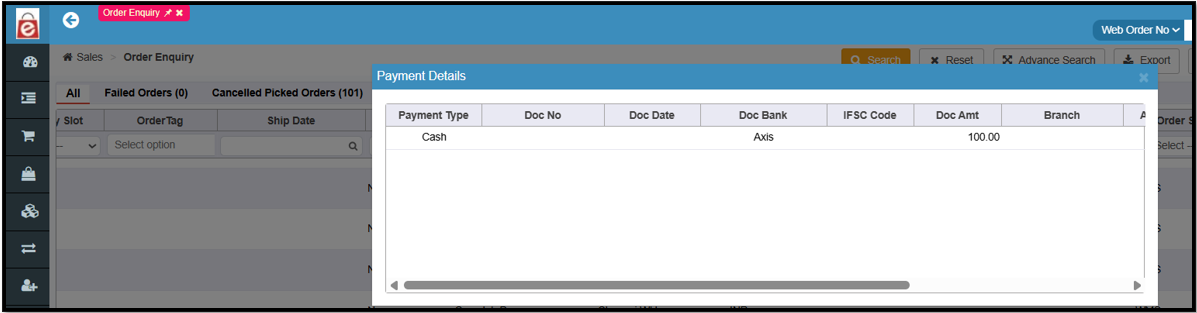
Introducing Payment details view on Order Enquiry screen
A new Payment Details view has been added directly to the Order Enquiry screen against order. Users no longer need to open every order one by one to cross-check payment details, saving time and operational overhead.
Navigation: Sales >> Order Enquiry>> Payment Details
Key Bug Fixes:
Enhanced Return Automation for BOPIS Order
Previously, when initiating a return from the "Received" tab on the Shipment Handover screen for BOPIS, the system updated the order status to "Returned" but returns were not created automatically and users had to generate an actual return manually.
Users no longer need to manually initiate a return and now can correctly create the returns automatically from the shipment handover screen.
Eliminates data mismatches where an order status shows as "Returned" without any corresponding return created in the system.
Navigation: WMS >> Order Processing >> Shipment Handover
Prevention of Double AWB Generation
Previously, an issue caused the system to mistakenly generate two separate Air Waybills (AWBs) for a single order without any intermediate packaging or unpack/re-pack activity.
Now duplicate AWBs are prevented, ensuring logistics teams and clients only track a valid AWB.
Navigation: WMS >> Order Processing >> Shipment Handover
Warehouse Management:
Change Requests/ Enhancements/ Improvements:
Case Quantity Support in SKU Label Printing
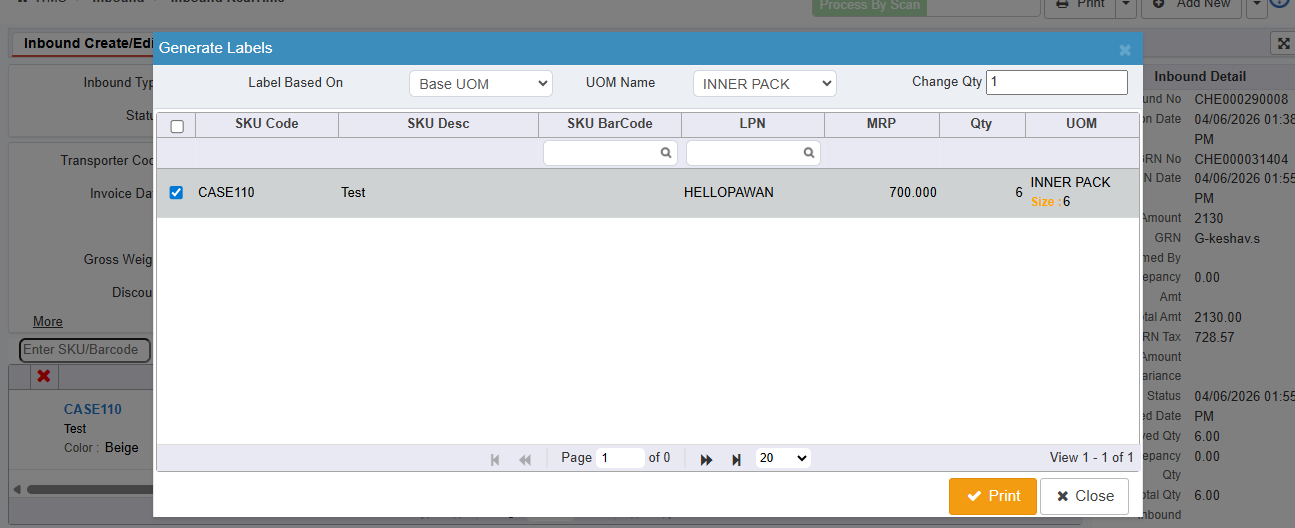
The SKU label generation process has been enhanced to support label printing based on the selected UOM, helping warehouses generate labels more accurately for case-pack inventory.
A dropdown has been added to the Generate Labels popup when the USECASEPCK parameter is enabled.
Users can choose between Base UOM and Inbound UOM for label generation.
When Inbound UOM is selected, labels are generated based on the inbound UOM quantity, with one label representing one case.
The SKU label print screen now includes UOM and SKU barcode fields for improved label information.
Benefits
Reduces excess label printing: Generate labels at the case level instead of only at the base-unit level.
Improves operational efficiency: Warehouse users can print the exact number of labels needed for inbound case quantities.
Enhances label accuracy: Labels now reflect the selected UOM, reducing confusion during receiving, storage, and handling.
Navigation: WMS >> Inbound >> Inbound Create/Edit >> Generate Labels
Multi-Currency Support in Purchase Orders
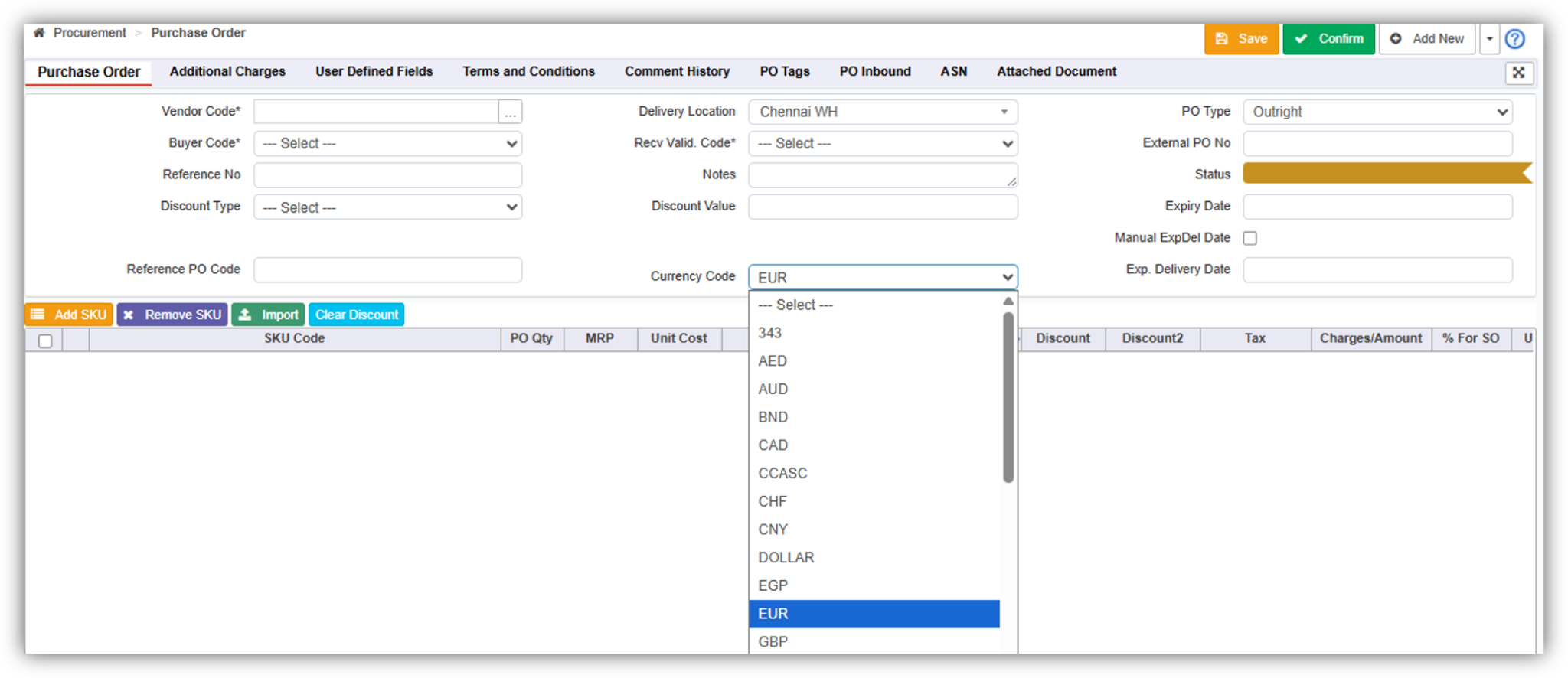
Introduced a new Currency Code field in the Purchase Order creation process across Web, Import, and API channels, enabling businesses to create POs in different currencies for the same vendor.
Added a Currency Code field during PO creation on the Web.
Currency defaults from the Vendor Master but can be overridden during PO creation.
Supports standard ISO currency codes such as INR, USD, EUR, and other configured currencies.
Currency conversion is automatically applied based on configured exchange rates.
Benefits:
Supports vendors operating in multiple currencies without requiring separate vendor records.
Improves flexibility in global procurement and cross-border purchasing. Reduces manual currency management and reconciliation efforts.
Enhances integration capabilities by supporting currency selection through APIs and imports.
Improves financial visibility and consistency across procurement processes.
Navigation: WMS >> Procurement >> Purchase Order
LPN & LPN Quantity Visibility During LPN Closure
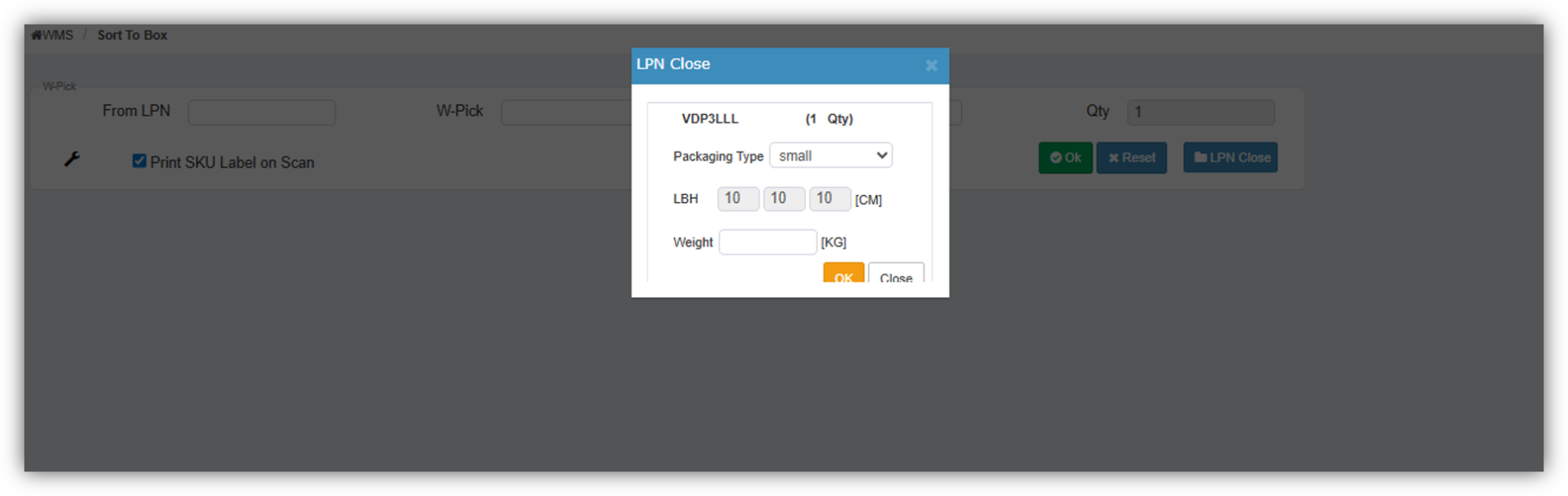
The Sort to Box process has been enhanced to display the total quantity packed within an LPN during the LPN closure step, enabling users to perform a final verification before completing the packing process.
Provides users with a final checkpoint to validate packed quantities during sortation.
Eliminates the need to navigate to LPN Detail or LPN Enquiry screens for quantity verification.
Benefits
Improves packing accuracy by enabling quantity verification before LPN closure.
Helps identify sortation errors at the final stage of the packing process.
Reduces the risk of incorrect quantities being dispatched.
Minimizes dependency on additional screens for validation.
Navigation: WMS >> Order Processing >> Sort To Box